
Connectors
NowMetrix Connectors watch your audience signals and prepare controlled editorial actions when a story gains real momentum.
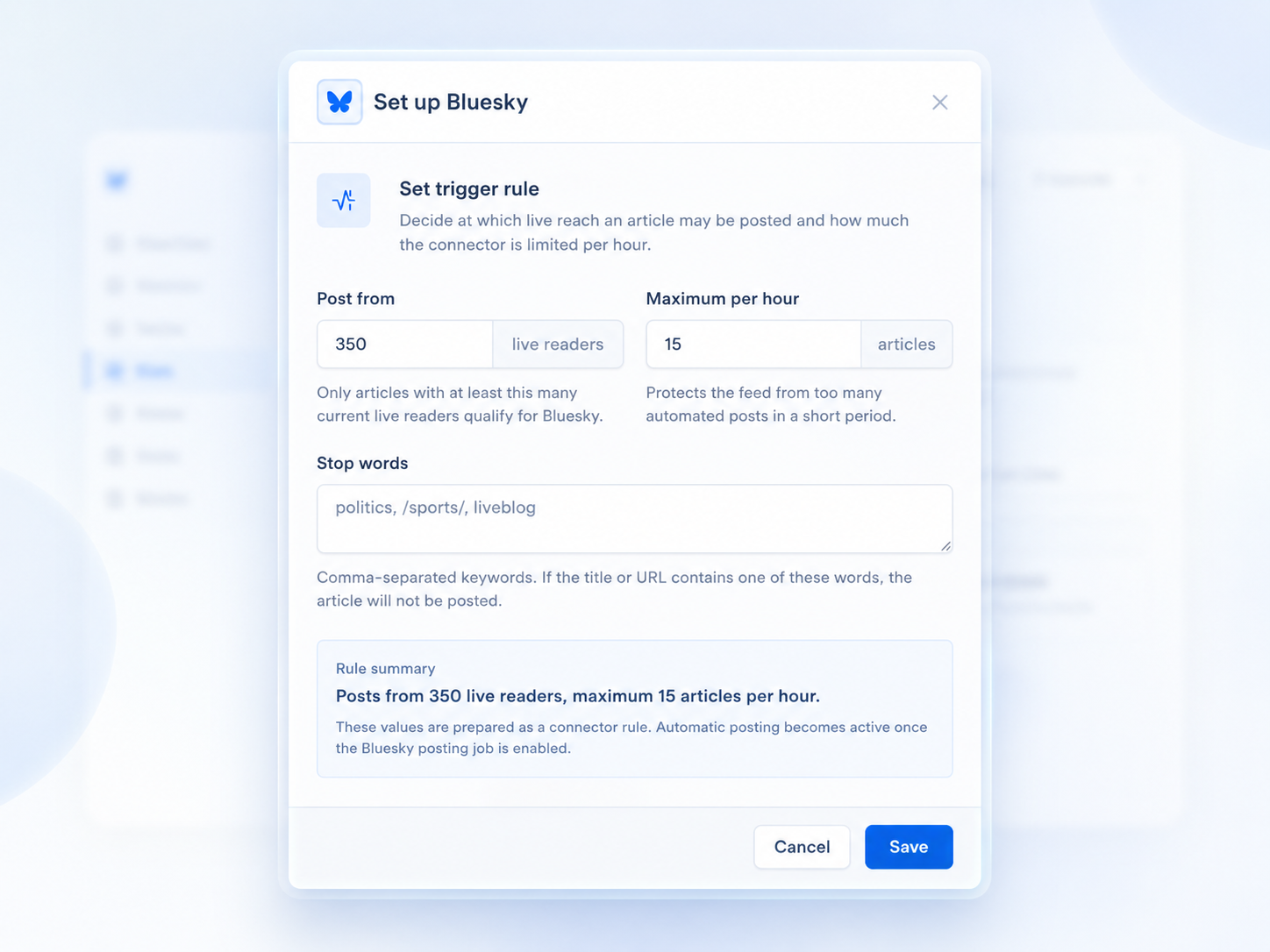
Set the trigger rule once, preview matching articles, then let NowMetrix prepare the selected Connector action.
Trusted by 120+ media brands and content teams






Prepare or publish article links to Bluesky or W Social when they pass your live-reader rule.
Push relevant live signals into the channels where your editors already work.
Send selected live articles to a Telegram channel when they are gaining verified momentum.
Send events to your own URL so internal tools can start their own automations.
Use live-reader thresholds so only articles with real audience momentum qualify.
Set hourly limits so automated actions stay useful and never flood a channel.
Add stop words for titles or URLs that should always stay manual.
Review example posts and matching articles before a Connector goes live.
Open Settings, choose Connectors, and select the tracker you want to automate.
Run the website test and check example articles, titles, images, and actions.
Choose the threshold, hourly limit, stop words, and review the matches before enabling.
Start with one simple Connector rule, preview every match, then switch it on when the workflow feels right.
30-day free trial